Great question! In my discussions with clients, I hear some version of this in every Customer Insights – Journeys implementation. And the answer is…well they are a valuable tool that expands your marketing automation intensely! But of course, that’s too vague so I will attempt to break it down a bit.
Triggers can start a journey
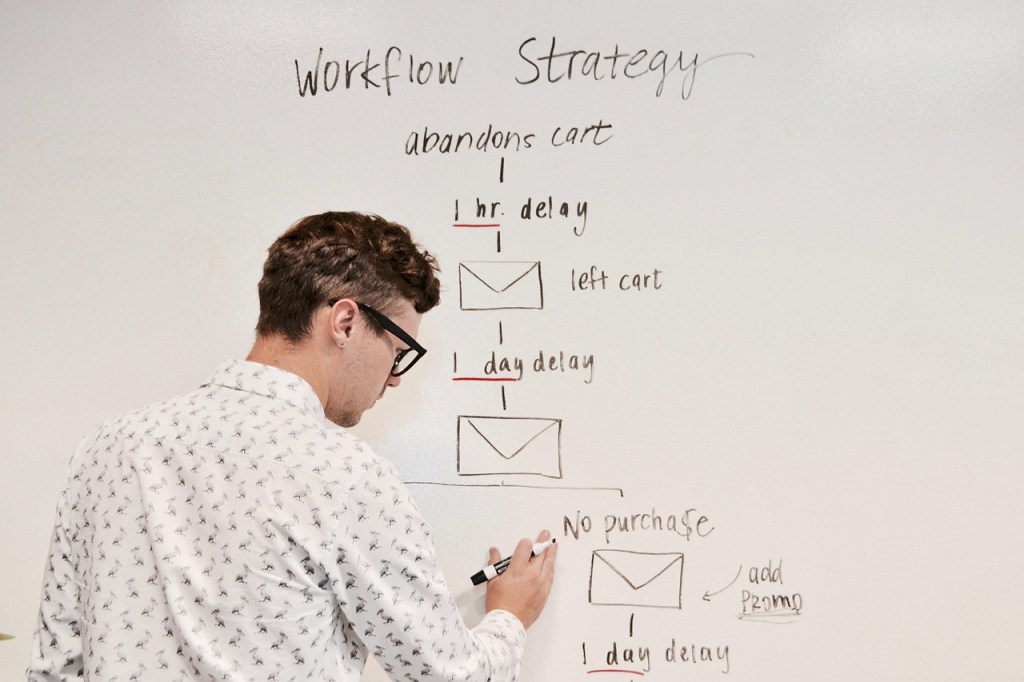
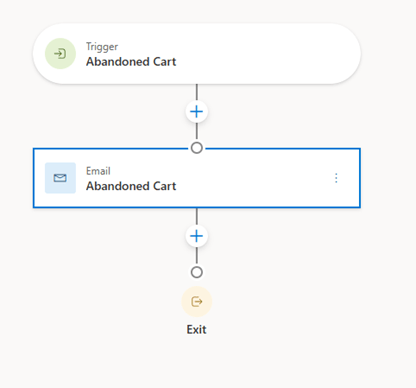
This is probably the easiest one because it makes sense. If you’ve been using Customer Insights – Journeys at all, you know all about journeys. This is usually the first thing you learn – typically sending an email to a segment. But while still a common strategy, this does not really address the “real time” ability to respond to customer actions. Triggers, on the other hand, do exactly that. The idea is that when a customer or potential customer does “something”, this action should trigger a journey. A typical example of this is when someone adds items to a shopping cart on your website, then abandons it. Many of us have received that email later in the day with the subject “Forgot something?”. This action triggered the journey of sending that reminder email. Another example is someone simply browsing a website on a particular product page. This would trigger an email (or other channel) suggesting those products and others like them.
Triggers can measure a goal
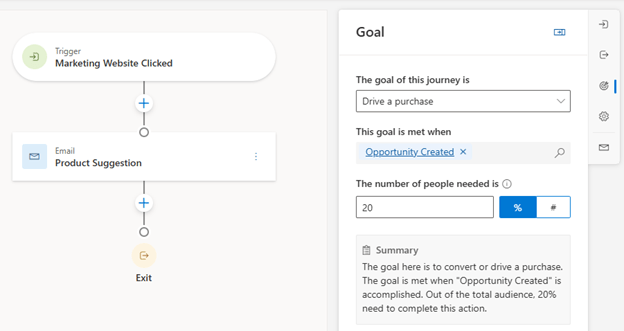
Marketing teams are always faced with proving their worth to their organization. Again, if you are using Customer Insights – Journeys, you know that one of the key features is setting a goal for the journey and allows marketing teams to do just that. While some journey goals are simply to encourage engagement with open percentages as a goal, others can be more complex up to and including sales indicators. This can be particularly useful when the tool is collaborative with the sales application as the underlying data is shared in the Dataverse. So, triggers such as “Opportunity Created” can be used which really shows the effectiveness of these journeys.
Triggers can condition journey steps
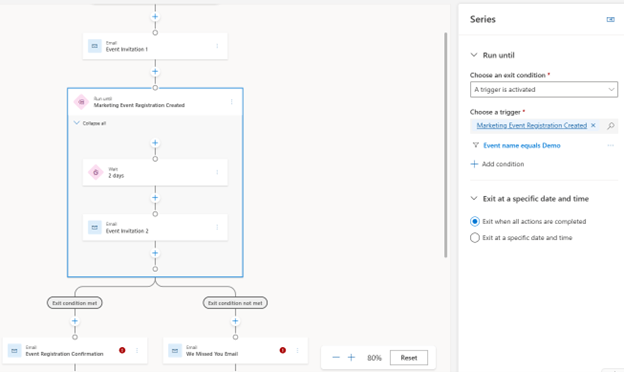
In true “real-time” fashion, marketers not only want to respond to one action but many along the journey. Thus, often, there will be a condition step in the journey that waits to execute a next action, basing it on the actions of the customer/potential customer. Two specific example conditions are “Wait for trigger” and “Series” which sends a series of messages until conditions are met. One common example of this is an event journey. The initial invitation is sent and then several reminders leading up to the registration deadline. The condition to exit that series of messaging is the trigger “Marketing Event Registration Created” which sends them down the path to a confirmation email, etc.
Triggers can call a Power Automate Flow
Customer Insights – Journeys is powerful and can automate a TON of marketing activities. That said, there are limits such as updating Dataverse records (forms can sometimes handle this with contacts and leads but that’s where it ends). So whenever, wherever the tool reaches its limit, power automate can fill in the gaps. I’ve seen this used in situations where an internal notification needs to be sent or as mentioned above, a record needs to be updated (such as a lead status reason).

Triggers can exit a journey
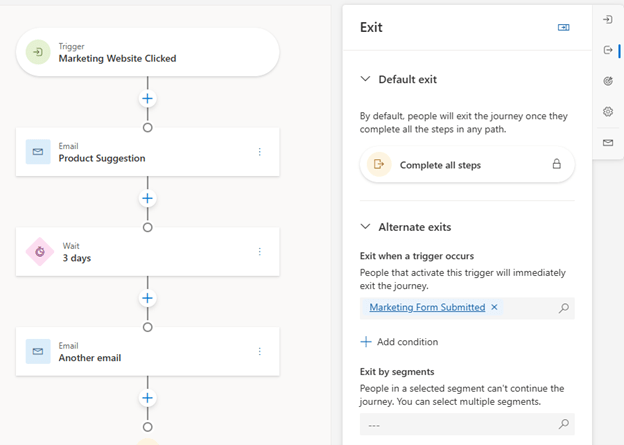
Again, in “real-time” fashion, marketers do not want to continue pursuing a customer/potential customer if they have already completed the desired action. This would damage their reputation and exhaust the recipients. The default exit criterium for a journey is to complete all steps but if the goal is met early, you can add this trigger as an alternate exit. This can also be used if there is any “negative” indicator such as an email bounce to support maintaining your domain reputation.
Now that you know what they are, let’s return to the second part of the original question -why do you need to know? I would argue you need to know to enhance your marketing strategy to meet your customers/potential customers in real time, make the most of your investment in Customer Insights – Journeys and support your marketing team to maximize productivity. I’d love to hear your thoughts about how you use triggers today!
 First Pancake D365 Consulting
2 responses to “What the heck are “Triggers” and Why do I need to know?”
Great article! Triggers allow for some really flexible journey branching.
An additional feature we’ve discovered when implementing them is that by setting specific conditions on a trigger firing from within a journey itself, you can branch in more specific ways.
Let’s say, for example, you send a form to a customer with a question “would you like to receive more emails from us?”, and provide the customer with the option of answering ‘yes’ or ‘no’.
The initial trigger checks when the field associated with this question is updated. In this example, this trigger would fire regardless of the answer given. All well and good if you’re using a checkbox, because the trigger will only fire if the field is populated. However, if ther customer is given the option of answering ‘yes’ or ‘no’, the trigger will fire regardless of their response.
Here’s the trick: you can add additional conditions to a trigger being fired from within the journey itself. So, here you define the trigger in the journey, and add the additional condition “answer = yes”. That way, only those who answer ‘yes’ are taken down that specific path.
We’ve found this allows for much more diverse comms paths. In this example, we might create a secondary nurturing journey using the same trigger that only fires if the condition “answer = no” is met. So, the same trigger is used to create diverse branching within and across journeys.
(please feel free to moderate this comment! It’s a bit tricky to describe without using examples, and I’m not exactly at liberty to provide those from our prod environment)
LikeLiked by 1 person
Thank you! Yes that example makes sense to me and also that you need branches based on the response. Thank you for sharing!
LikeLike